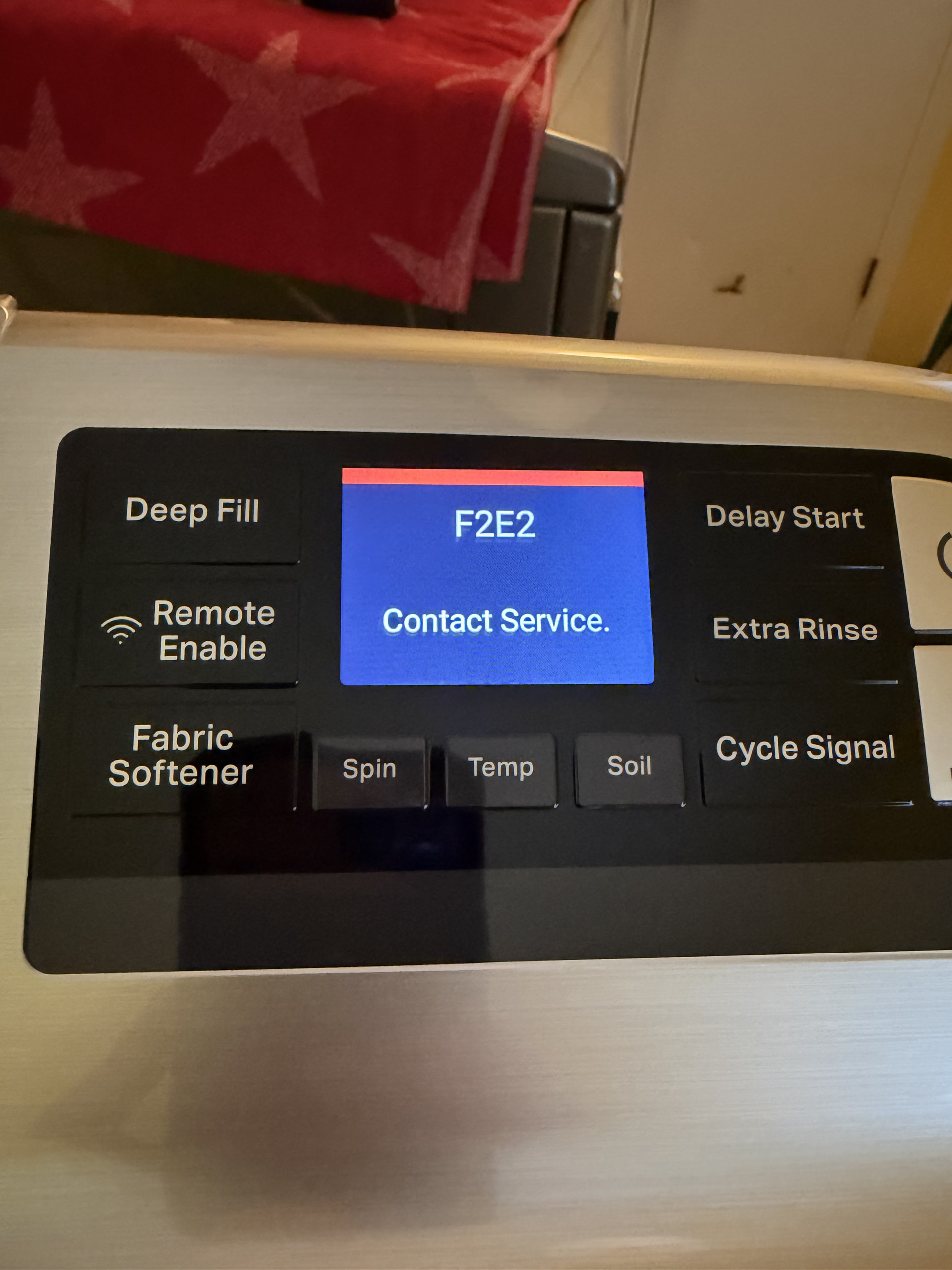
Brand: Maytag Model Number:MVW7230HC1 Main Symptom: F2E2 error What happens & when: plug machine in, display asks to press START for English, pressing start does nothing, after a minute the code F2E2 is displayed and machine is frozen.
Error Code (if any): F2E2
Parts or tests already tried:New ACU, new UI wire harness, New UI
Photos / video link:
I’ve replaced all three: UI, ACU, wire harness. All this started with the old UI displaying F2E2 before going dark forever after unplugging and replugging power.
Hi, with an F2E2 communication error, I would check the user interface (UI) first, but start by verifying the communication harness before replacing either board.
Unplug the washer and inspect/reseat the harness connecting the main control board to the UI. Check for loose terminals, corrosion, damaged wires, or backed-out pins.
If the harness checks good, restore power and see whether the UI powers up and responds to the buttons. If the display is acting erratically, buttons don’t respond, or the F2E2 code returns immediately, the UI/control panel is the stronger suspect.
If the UI appears to operate normally, then the next step is checking the main control board’s power supply to the UI. If the main board isn’t providing the specified supply voltage, suspect the main control. If the correct voltage reaches the UI but communication is still lost, that points back toward the UI assembly.
So I would go in this order: harness/connections → UI operation → main-board power supply → replace the board that fails the test. Don’t replace both boards just because F2E2 is stored.
That sequence is what I have done, also those parts are already replaced. Here are the details so we’re not starting over.
Model MVW7230HC1.
Already installed:
New ACU W11614514 (replaces W11553798)
New UI W11793907
New UI harness, both ends
What I measured before the UI swap:
J14-1 to ground was about 12.33 V with the UI unplugged, on both the old ACU and the new ACU.
With the old UI plugged in it fell to about 11.22 V on both boards.
J14-2 was about 4.95 V.
EMI filter output is about 123 V AC. ACU LED blinks and the lid lock clicks on power-up, so line voltage is reaching the board.
What it does now, with all three new parts:
Plug in. Click (lid lock). Display comes up: press START for English.
Pressing Start does nothing. Other keys do nothing.
After about a minute it goes to F2E2 Contact Service and stays there.
Before F2E2 it also ran the factory Wi-Fi screen (Factory: Wi-Fi retrying, then Factory 3/5 Connecting to Wi-Fi). That cleared after power cycles. F2E2 did not.
I have not been able to enter service mode or run Factory Reset / DLMS calibration because the keys die before the 3-button sequence takes.
Harness is the new one, seated at the ACU and at the UI. I have not yet pulled the new console back apart to reseat the internal FLEXCONN ribbons.
Question: with ACU, UI, and harness all new, language screen up, and Start dead before F2E2, what is the next step? Or do you treat the new UI as defective and return it?
Hi, the issue here sounds like the unit is stuck in a Wi-Fi connection loop. I would disconnect the Wi-Fi ribbon cable or Wi-Fi module first, then perform a hard reset.
To do the hard reset, unplug the unit or turn the breaker off for about 5–10 minutes. While the power is disconnected, press and hold the Power button for about 10–15 seconds to help discharge any remaining power. Then restore power with the Wi-Fi module still disconnected and see if the unit starts up and operates normally.
If it works normally with the Wi-Fi disconnected, that points toward the Wi-Fi module or its communication with the main control being the problem.