Samsung Range NSE6DG8100SRAA – Test and Replace DG44-01012A
The DG44-01012A is a surface element control switch used to regulate heat at a cooktop burner.
Before replacing it, we want to determine whether the switch is defective or whether the problem is with the heating element or wiring.
Safety first
Live Power Warning: This is a 240-volt electric range. Disconnect power at the breaker before removing panels, disconnecting wires, or performing resistance tests. Live voltage testing should only be performed by someone qualified to work around energized 240-volt circuits.
1. Check the burner operation
Turn the affected burner on and check what happens.
- No heat at any setting: Could be a defective switch, heating element, or wiring connection.
- Burner stays on high: The switch may have failed internally.
- Burner heats but won’t regulate properly: The switch is a possible cause, although normal cycling at lower settings is expected.
- Only one section of a dual burner works: Check the switch contacts and both heating circuits.
Before ordering a replacement, confirm that DG44-01012A is the correct switch for the affected burner position.
2. Access the DG44-01012A switch
- Turn off the range breaker and verify power is disconnected.
- Carefully pull the range away from the wall.
- Remove the screws securing the upper rear control-panel cover.
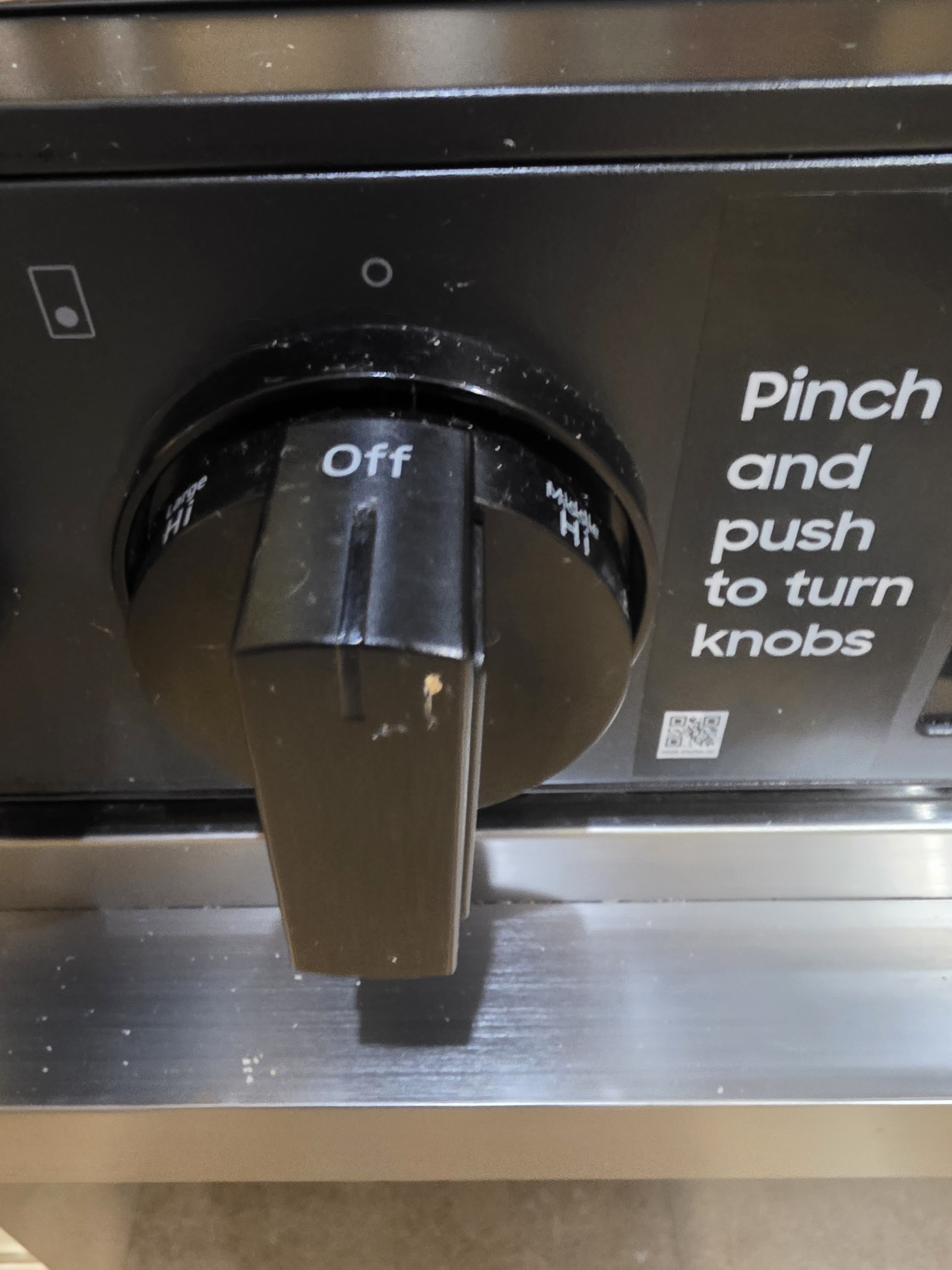
- Locate the switch directly behind the corresponding burner control knob.
- Take a clear picture of the wiring before disconnecting anything.
- Inspect the terminals for burned wires, discoloration, or loose connections.
3. Test the switch with a multimeter
With power disconnected:
- Remove the wires from the terminals being tested, using your picture as a reference.
- Set your multimeter to continuity or the lowest resistance setting.
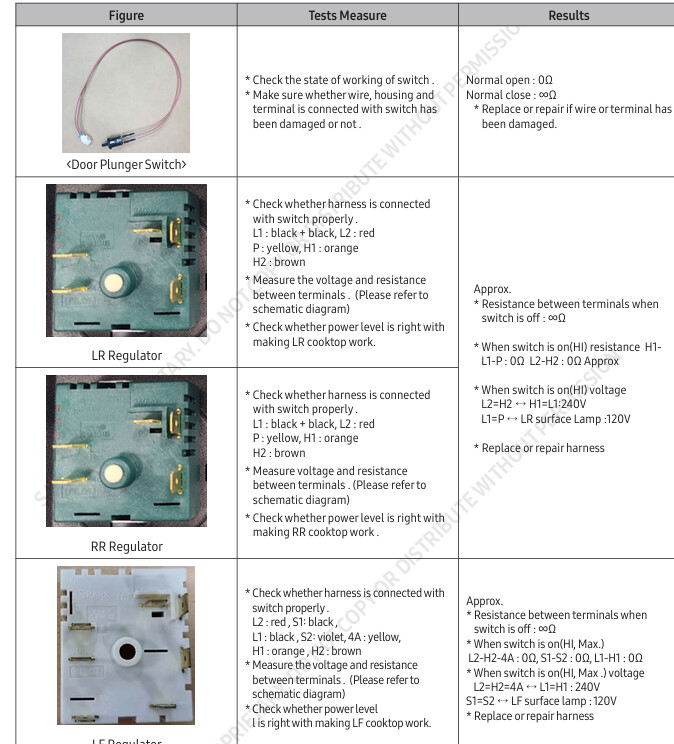
- Identify the switch’s input and output terminals using the markings and wiring diagram.
- Turn the switch to HIGH and check the appropriate switching contacts.
- Turn the switch OFF and check that the heating contacts open.
Test result
What it means
Contacts remain open on HIGH
Possible defective switch
Heating contacts remain closed on OFF
Possible stuck switch
Contacts change correctly
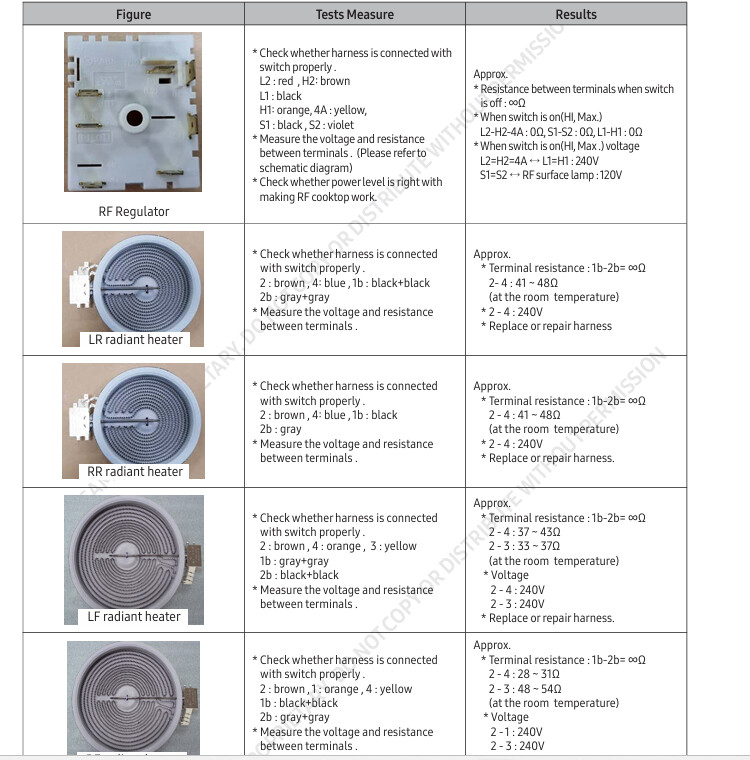
Check the element and wiring
Burned or melted terminals
Repair damaged wiring and replace affected components
Important: Infinite switches cycle their contacts to regulate heat. A single continuity reading at a LOW setting does not reliably identify a bad switch. I couldn’t verify the exact DG44-01012A terminal pinout, so don’t assume generic L1, L2, H1, or H2 markings apply.
4. Replace the DG44-01012A
- Leave power disconnected.
- Pull the affected burner control knob straight off its shaft.
- Remove the switch mounting screws from the front control panel, if accessible.
- From behind the panel, carefully remove the old switch.
- Transfer the wires to the new switch one at a time, matching the terminal markings rather than physical positions.
- Position the new switch and reinstall its mounting screws.
- Reinstall the control knob.
- Reassemble the rear control-panel cover.
- Restore power and test the burner at LOW, MEDIUM, and HIGH.
Samsung DG44-01012A is listed as compatible with model NSE6DG8100SRAA.
Important terminal corrections
Terminal
Typical function
L1
Incoming line voltage
L2
Second incoming line, not neutral
H1 / H2
Heating element outputs on switches using these markings
P / P1
Often an indicator-light contact, not necessarily an element output
P2
Function depends on switch design
2 / 4 / 4a
Manufacturer-specific switching contacts
S1 / S2
Manufacturer-specific auxiliary contacts
These are general conventions, not a verified pinout for DG44-01012A.
One question before testing
What is the burner doing now? Is it not heating at all, staying on HIGH, or heating too much even on LOW?
That will help determine the quickest test to confirm whether the DG44-01012A needs replacement.