Please make sure to click on General above and select the correct appliance type first.
Brand: Frigidaire
Model Number:: FGHS2355PF5A
Main Symptom: User Interface Control Panel LEDs went out
What happens & when: LEDs stopped working over tim
Error Code (if any): None
Parts or tests already tried: AP7017396 (5304527932)
Photos / video link:
ApplicancePartsPro Order #: 17289859
Frigidaire Refrigerator Model: FGHS2355PF5A
Serial Number: 4A61413503 Manufactured: 04/2016
User Interface Control Panel: Spitfire Controls SF4101-9731BS Rev 21
Spitfire Part #: 242209731
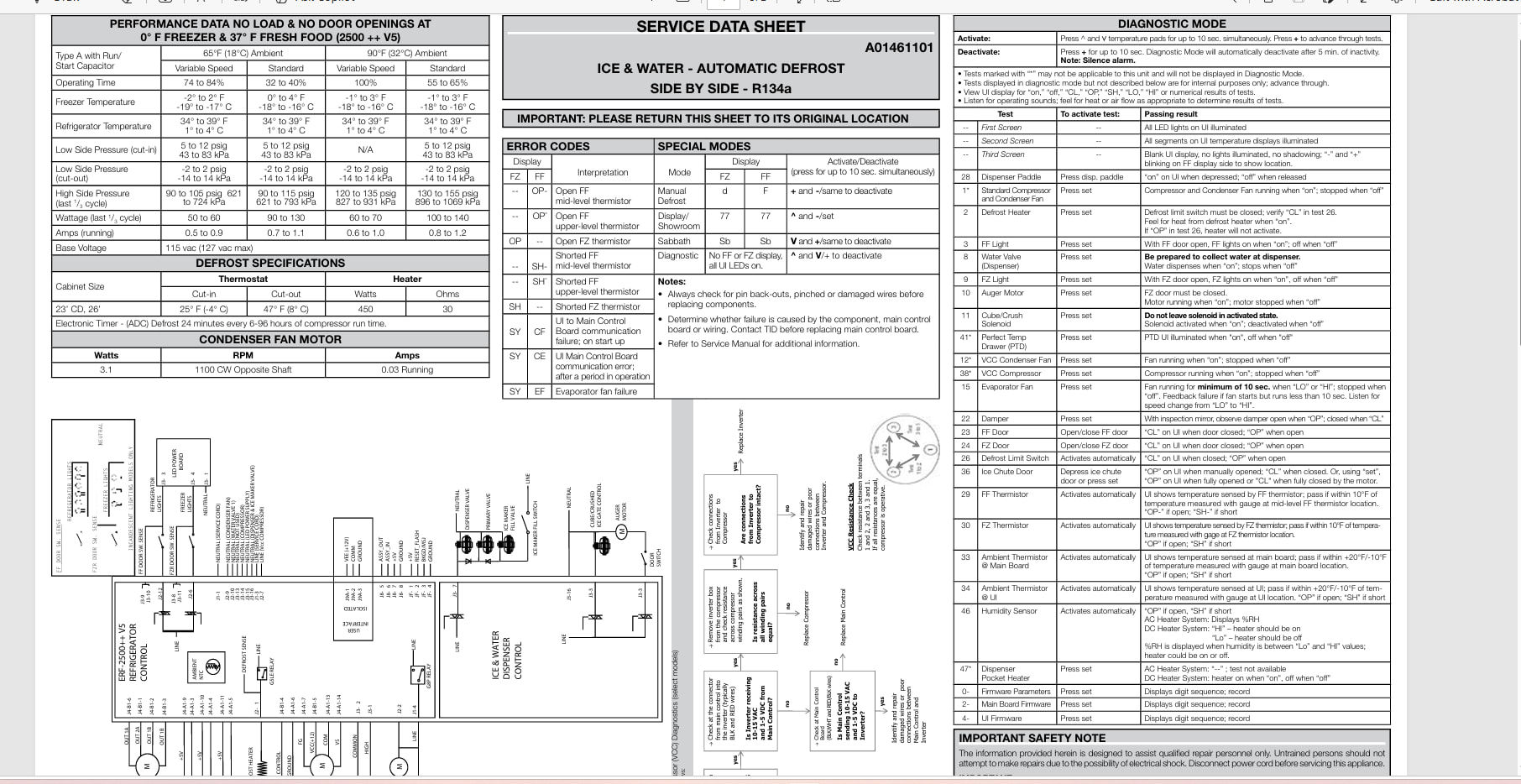
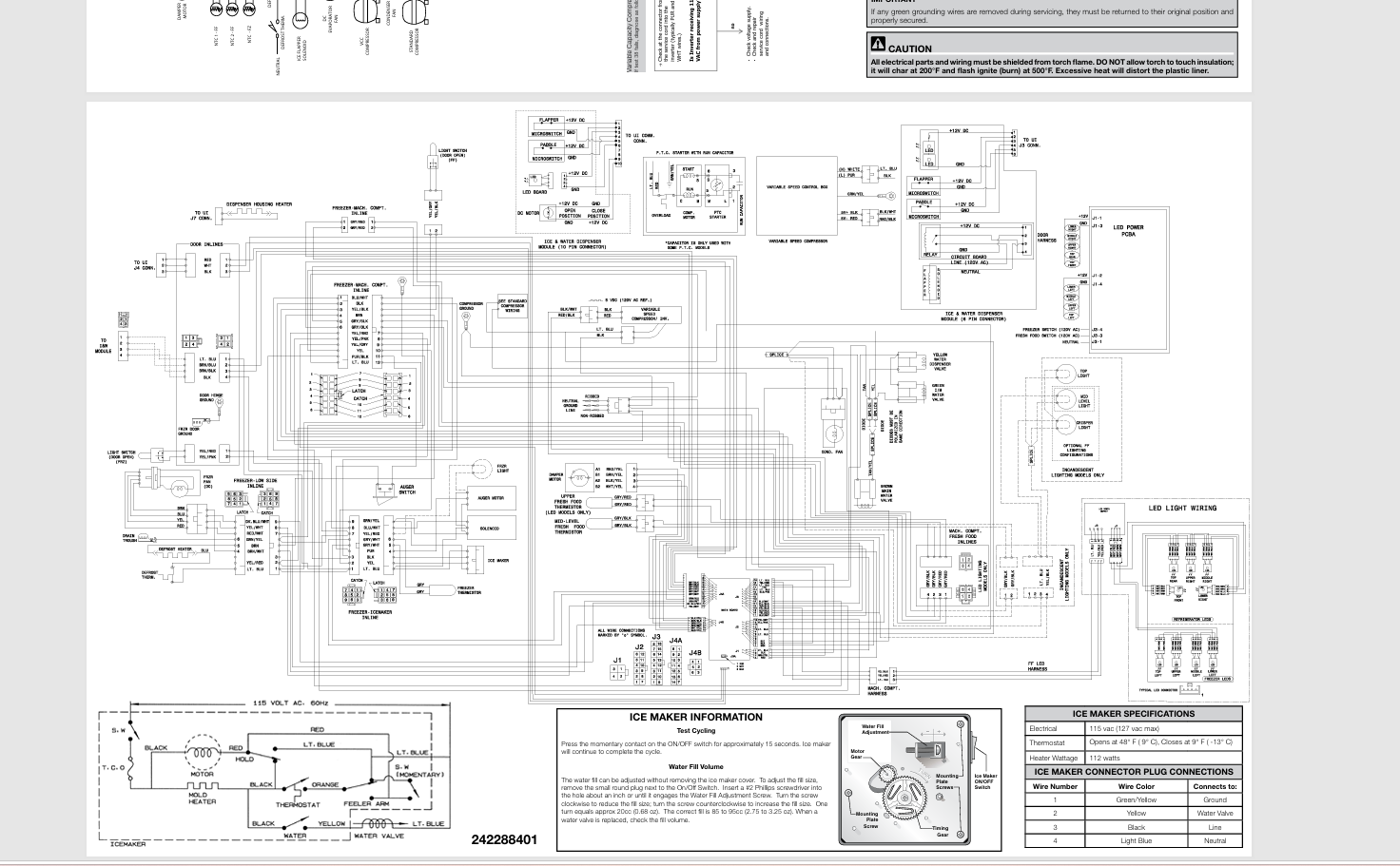
Original Issue: Both the freezer and refrigerator work fine. However, the LED lights on the User Interface Control Panel were nearly completely out so decided to replace that item. Original part (#AP7017396 (5304527932) was delivered on 03 August and I installed the part the following day. The part did not resolve the issue and the refrigerator would not operate at all. Called ApplicancePartsPro on the 5th to discuss situation and was advised that the issue might be: (1) faulty replacement User Interface Control Panel; or (2) the User Interface Control Panel is not compatible with the Main Control Panel. The representative sent me a replacement panel which arrived on Friday but remains unopened and uninstalled.
As I thought about what the representative told me, I am reluctant to install the replacement part without additional information. If I assume for a moment that the first replacement part was good (and thus, the 2nd replacement part is also good), and the real issue now is that the replacement User Interface Control Panel will not communicate with the Main Control Panel – what are my options? Again, the refrigerator remains operational with no issues other than no LED/internal refrigerator light and ice maker won’t dispense; ice maker still makes ice and freezer light still works.