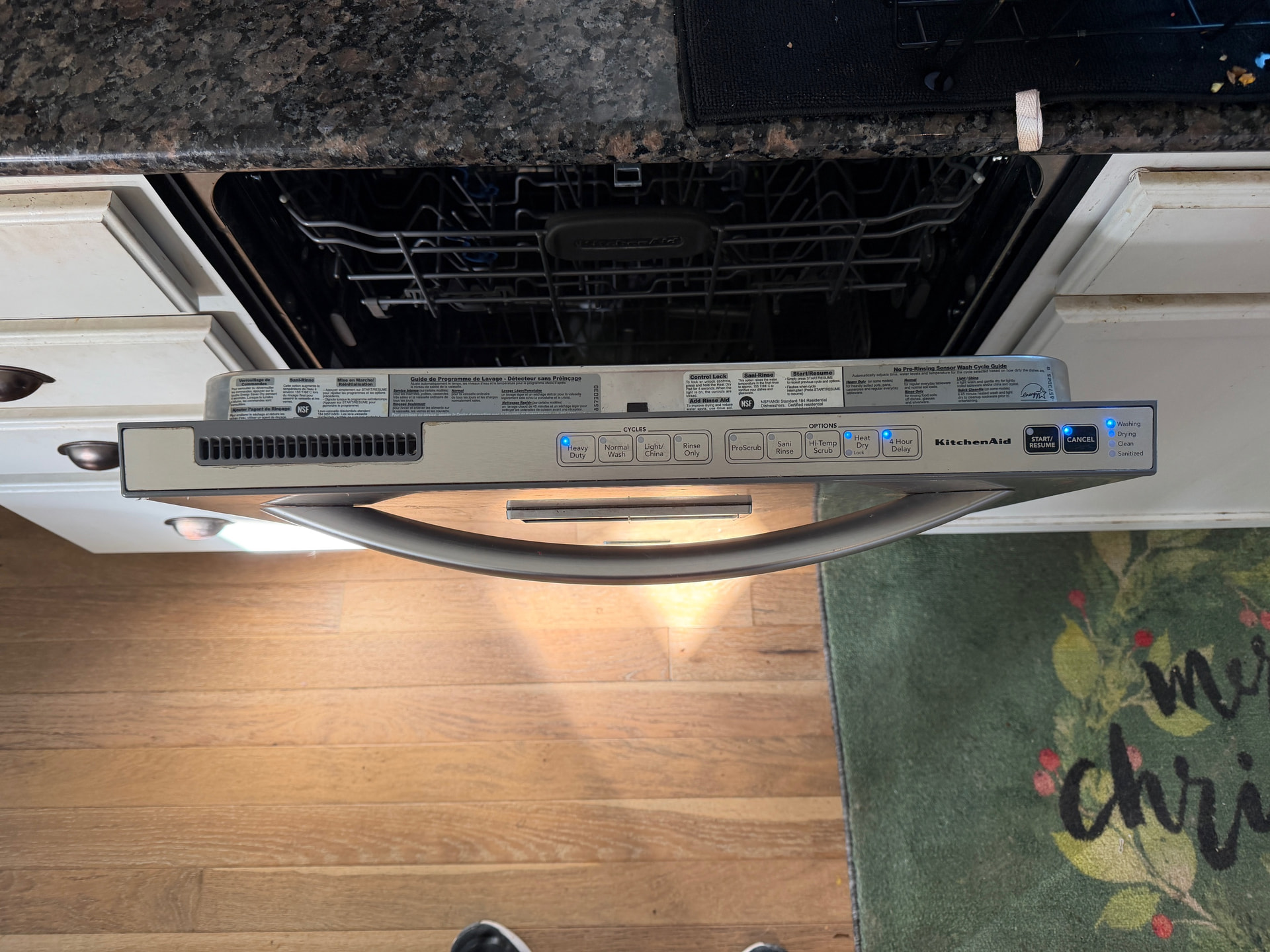
Brand: KitchenAid
Model Number: kuds40fvss3
Main Symptom: Several lights on on the control panel, but buttons unresponsive and won’t run; seems stuck on “Washing Cycle” on the panel, but won’t run
What happens & when: Reloaded dishwasher after it had finished, then noticed the 5 lights stuck on on control panel. Buttons are unresponsive (see photo…current lights are “Heavy Duty”, “Heat Dry”, “4 Hour Delay”, “Cancel”, and status light says “Washing”). Dishwasher won’t start.
Error Code (if any): None
Parts or tests already tried:
- Tried switching off the breaker, waiting 10 minutes, and turning back on. No change.
- Tried removing the ribbon from the control panel, then closing door, then turning breaker back on, no change (some said maybe it will start to drain automatically, then I’d know it was the touch panel, not the control board).
- Tried holding the “Heat Dry” to unlock, that did nothing.
- Tried pushing various combinations of buttons.
The big question is do I try to buy a new control board and install it, but I can’t return it and that’s $200 (they don’t make the touch pad so I cannot try that), or do I just buy a new dishwasher.
I think the control board is Wpw10285179
Photos / video link: