Brand:ge
Model Number:ggs500sv1ss
Main Symptom: dead panel
What happens & when: nothing, always
Error Code (if any):
Parts or tests already tried:
Photos / video link:
Brand:ge
Model Number:ggs500sv1ss
Main Symptom: dead panel
What happens & when: nothing, always
Error Code (if any):
Parts or tests already tried:
Photos / video link:
Hi LaserJoe100,
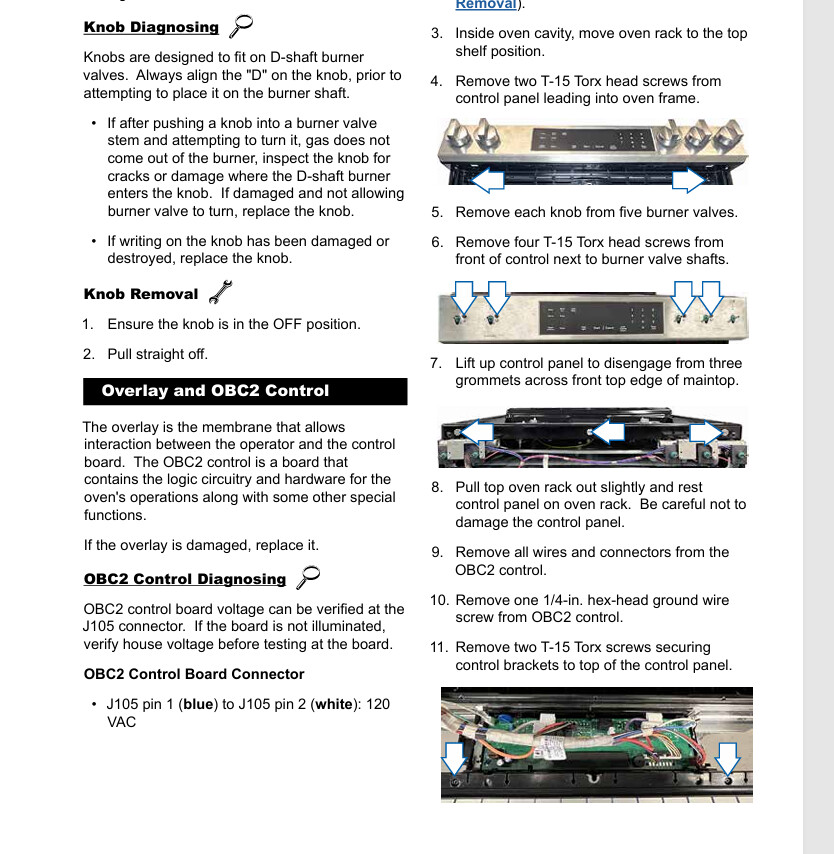
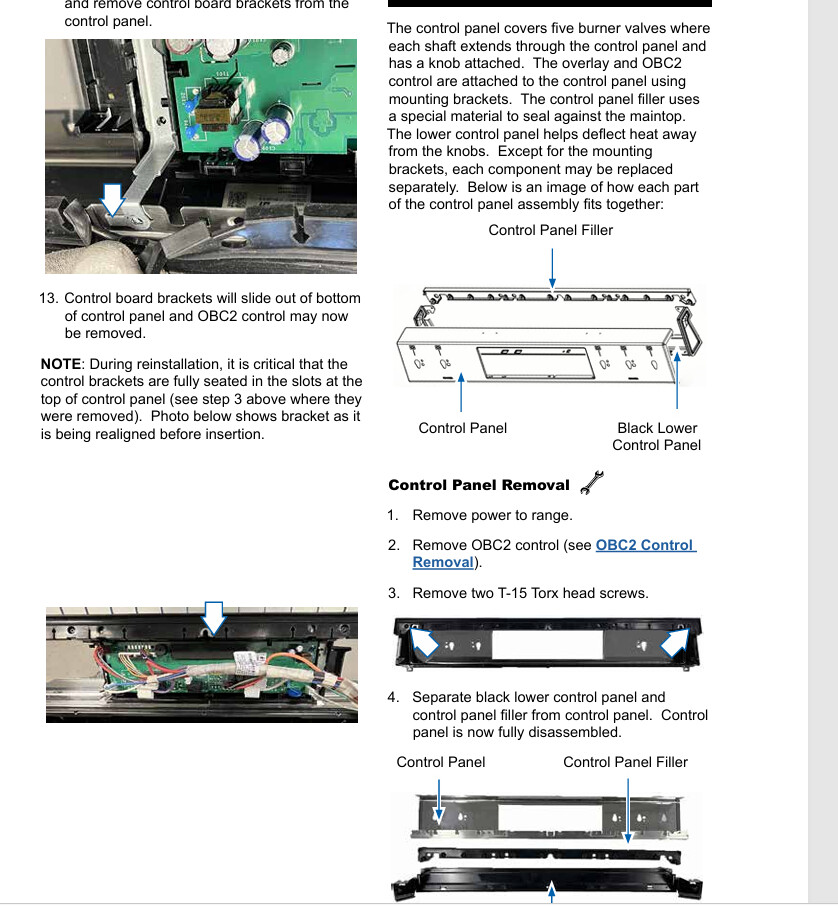
You’ll start by removing the knobs and then removing the screws located behind each knob. Next, open the oven door and look underneath the front panel. There should be another 3–4 screws that you’ll need to remove as well.
I’ve also attached a mini service manual to help guide you through the process.
Great!!! I knew I was missing something really simple, and it turned out to be the two screws that secure the panel to the oven body… Step #12 was missing from the manual you provided, but I managed to push through, lol. Thanks a million!!! You made it as simple as it should be!!!
Awesome! You’re very welcome! Hopefully that gets you back up and running