Brand: GE
Model Number: JKD5000SN3SS
Main Symptom: Entire Display blinking constantly
What happens & when: Entire display constantly blinks on/off at regular interval a little faster than one blink per second. All controls and oven operations work perfectly other than display blinking.
Error Code (if any): None
Parts or tests already tried: turned off breaker for 10 minutes to no avail. Also, some months ago when had same blinking. Simply turning off breaker for 30 seconds fixed it but problem returned eventually. Now it is constant blinking and no amount of shutting breaker resolves it. Initially I thought it occured when had an area power outage but now it always blinks. O ver operate perfectly in all aspects otherwise. It is the entire display that blinks off/on not just some letters. And when activate any sub menus they blink and remain functional as do all menu controls and buttons.
Photos / video link: link to video of the blinking. Note it is regular, the entrie dsiaply and a bit faster than once per second.
Appreciate insights and diagnostic I should try. Be nice to DIY this fix if feasible with limited skills.
ChatGPT suggests replacing GE Part # WB27X39826 — LCD Control Panel / User-Interface Assembly
Thanks for these two responses. Will check voltages tomorrow!
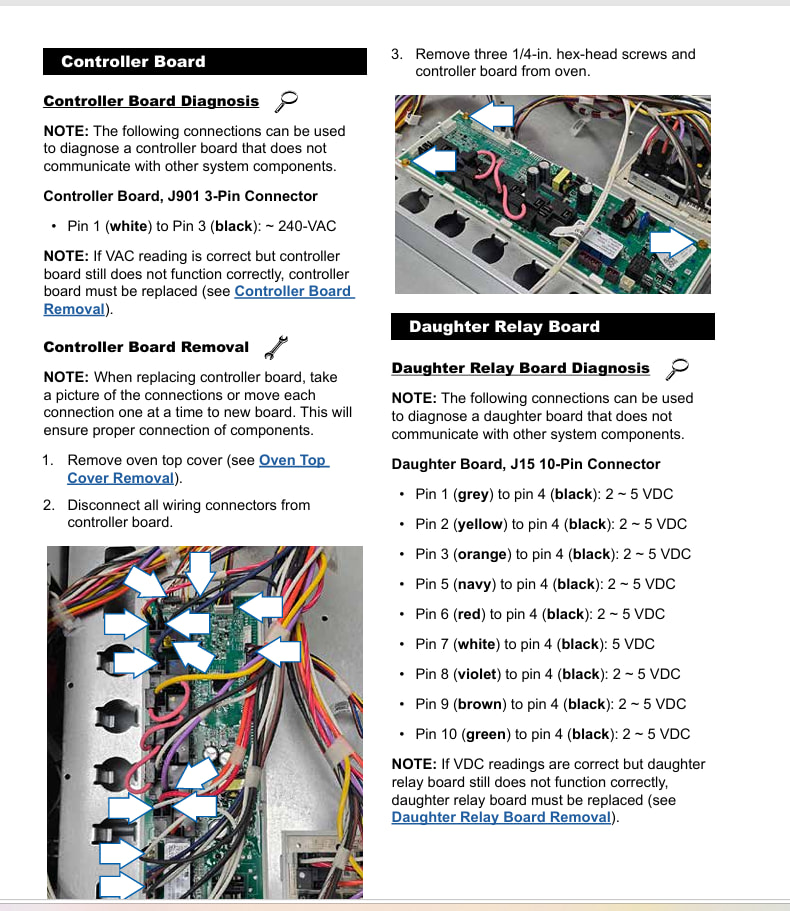
rookie question I guess. I have a basic multimeter. where is ideal place to make the voltage measurements wi5 the probes… between the various control panel wires pairs? poke into side of each wire or disconnect he harnesses and measure at the connectors at the wiring harness or on the board or?
I do see 4 ‘test points’ labelled TP101, TP103, TP104, TP105. Is that where I test for part of it?
Thanks in advance for the help.
video of green lights flashing on backside of panel if that is helpful to diagnose
eave the wiring harness fully connected to the control board. Carefully slide the thin metal tip of your multimeter probe into the back of the plastic connector, right alongside the wire where it enters the housing. This is called back-probing, and it allows you to check voltage while the harness is still connected and the circuit is operating.
Make sure the probe makes contact with the metal terminal inside the connector without damaging the wire or spreading the terminal. Be very careful not to touch two terminals together with the probe, as this could cause a short circuit and damage the control board. Use insulated back-probe pins whenever possible, and only perform live voltage testing if you’re comfortable doing so safely.
Thank again for this added info!