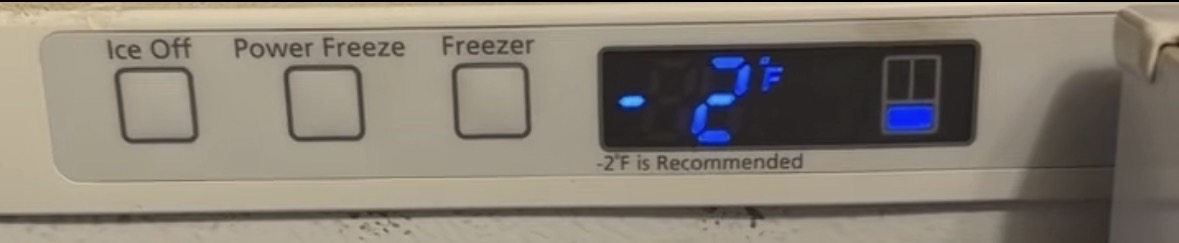
Brand: Samsung Model Number: RF20HFENBWW Main Symptom: Cycles The Ice Machine Constantly
**What happens: The ice machine will turn on and off completely on its own. This makes a terribly annoying “Ding!” and “Ba-ding!”, depending on if it’s turning on or off.
The ice machine light also turns on and off with this.
When: It happens throughout the day. Sometimes once per hour, sometimes every single second for 5-15 minutes non-stop
I think I need one of these two parts, but not sure which one:**
Error Code (if any): None
Parts or tests already tried: None
Photos / video link: None yet, but can provide if needed
Based on what you’re describing, I don’t think the ice maker itself is the problem. The fact that the ice maker is randomly turning itself ON and OFF, accompanied by the “ding” and “ba-ding” chimes, points much more toward the refrigerator thinking the Ice Maker button is being pressed repeatedly.
The three most likely causes, in order, are:
1. Faulty User Interface (Display/Control Panel) (Most Likely)
The Ice Maker button is part of the dispenser/user interface board. If moisture gets behind the panel or the touch switch begins to fail, it can “ghost press” the Ice Maker button, causing:
Ice Maker turns on and off by itself.
Repeated chimes.
Ice Maker indicator light follows the on/off state.
Problem occurs randomly throughout the day.
This is by far the most common cause of these symptoms.
2. Loose or Damaged Wiring
Inspect the wiring harness that runs through the top left door hinge.
Open the left fresh food door and remove the hinge cover. Look for:
Broken or partially broken wires
Pinched harness
Corrosion in the connector
Since the dispenser controls are located in the door, damaged wiring can cause intermittent signals to the main control board.
3. Main Control Board (Less Common)
If the user interface and wiring check good, the main control board could be misinterpreting the Ice Maker input. This is much less common than a failed user interface.
Quick Tests
Test 1 – Watch the Display
When the chime occurs, does only the Ice Maker indicator change, or do other indicators flicker as well?
Only Ice Maker changes → User interface is the likely culprit.
Multiple indicators flicker → Could be a user interface or power/communication issue.
Test 2 – Light Pressure Test
Gently press around the Ice Maker button and surrounding control panel.
If the refrigerator chimes or the indicator changes without firmly pressing the button, the touch panel is failing.
Test 3 – Inspect for Moisture
Look closely around the dispenser panel for:
Water intrusion
Condensation
Sticky residue
Cracks in the overlay
Any of these can cause capacitive touch buttons to activate on their own.
Test 4 – Door Harness Inspection
Remove the upper left hinge cover and inspect the wire harness. Repair any broken or frayed wires before replacing parts.
My Recommendation
Given your symptoms, I would suspect the dispenser user interface/control panel first, especially if:
The refrigerator cools normally.
The ice maker itself works when left on.
The only issue is the Ice Maker turning itself on and off with the associated chime.
If you can provide the complete model number (the number you listed, RF20HFENBWW, appears to be missing the revision suffix, such as RF20HFENBBC/AA, RF20HFENBSR/AA, etc.), I can identify the exact dispenser control board part number and provide instructions for testing or replacing it.
and I already replaced the main board in the back of the machine (before seeing your message), which did not help, so we can cross that off the list.
The controls for the ice machine are behind the left side French door. I have poked all around them and cannot get it to cycle the ice machine.
Note: the ice machine is in the pullout freezer.
I definitely think the problem is with the control panel because I tried to shift the wiring harness around as much as possible and could not get it to cycle.
But I don’t see any evidence of humidity or moisture damage to the control panel
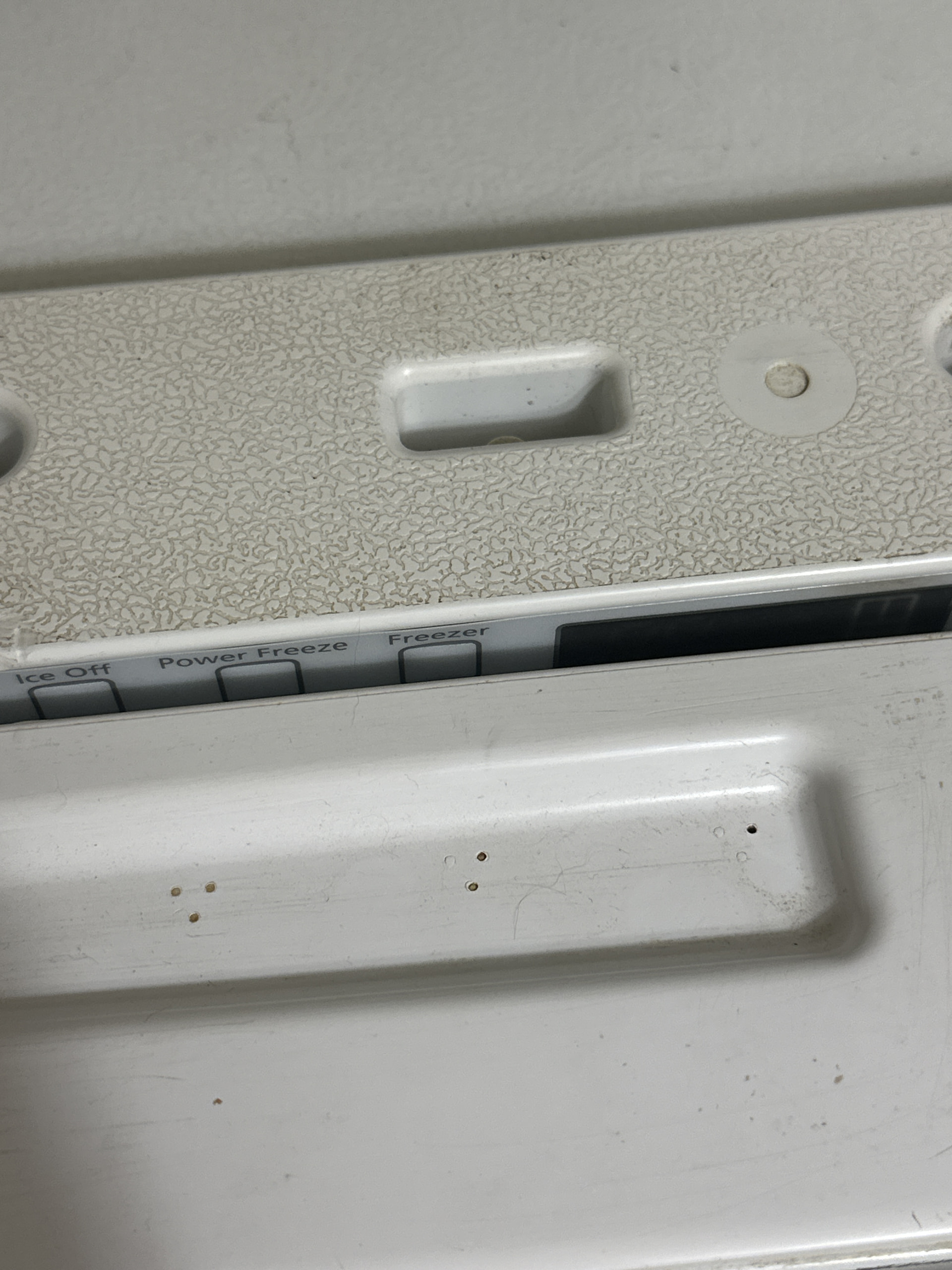
Here’s a photo of what the left side looks like with the door open. If I shut the door, then the lights go off, but I can still see the control panel from the top crack.
The lights are clearly off (signaling that the door is shut) and I can use a spoon to poke the ice off button multiple times, and the ice machine will NOT cycle.
It does so completely randomly. Beating hard on the top control panel doesn’t do anything.