Based on everything you’ve tested, I would not replace a thermistor first. Your testing has already ruled out several common failures.
Here’s why:
Condenser fan is running.
Compressor runs continuously without clicking.
Condenser is clean.
In PCB Test Mode the evaporator fan runs normally and you get strong airflow through the refrigerator vents.
A full manual defrost did not restore normal cooling.
No error codes.
The fact that both the refrigerator and freezer are warmer than they should be is the biggest clue.
Refrigerator: 45-50°F
Freezer: 15-25°F
A bad refrigerator thermistor generally causes incorrect temperatures in one compartment, but it usually does not prevent the freezer from reaching 0°F. Since both compartments are underperforming, I’m much more suspicious of a cooling capacity problem than a sensor problem.
The next test I would perform
Before replacing any parts, remove the freezer evaporator cover and inspect the frost pattern.
This is the single most important test because it will tell us whether you’re dealing with:
Sealed system problem (compressor/refrigerant restriction/leak)
Defrost problem
Airflow problem
Fan issue
What you’re looking for
How to Access the Freezer Evaporator Cover
Tools Needed
#2 Phillips screwdriver
Small flat-blade screwdriver or plastic trim tool
Work gloves
Towel (to catch any melting frost)
Disconnect power by unplugging the refrigerator.
Remove both freezer baskets and lift out the upper sliding drawer.
Remove the freezer drawer.
Remove the screws securing the drawer to the slide rails.
Lift the front of the drawer slightly and pull it straight off the rails.
Remove the drawer rails if they prevent access to the rear panel. On many LG models, the left rail also has a door switch connector that must be unplugged before the rail can be removed.
If equipped with an in-freezer ice maker, remove it by taking out the mounting screws, releasing the locking tabs, and disconnecting the wiring harness.
Remove the lower air return cover located near the bottom rear of the freezer.
Remove the screws securing the evaporator cover.
Carefully pull the top of the evaporator cover toward you, then lift slightly to release the lower tabs. Do not pull it away completely, as there are wiring connectors attached to the fan and thermistor.
Disconnect the wiring connectors and remove the evaporator cover to expose the evaporator coil.
Normal Frost Pattern
A light, even coating of frost across nearly the entire evaporator.
-> Cooling system is healthy.
Only the first few coils frosted
This is the classic indication of:
Low refrigerant
Weak compressor
Partial restriction in the sealed system
Unfortunately, this would point toward a sealed system issue.
Evaporator completely encased in snow/ice
That indicates a defrost failure involving one of the following:
Defrost heater
Defrost thermistor
Main control board
Almost no frost anywhere
Usually indicates a severe sealed system failure or compressor that is running but not pumping efficiently.
One thing that still catches my attention
You mentioned:
Airflow is much stronger in PCB Test Mode than during normal operation.
That could happen if the control board is intentionally running the evaporator fan at a lower speed because it’s receiving incorrect temperature information from a thermistor. However, even with reduced airflow, the freezer itself should still reach close to 0°F. Since it isn’t, I don’t think the airflow difference alone explains the poor cooling.
My recommendation
At this point I would not purchase a thermistor yet.
Instead:
Remove the freezer evaporator cover.
Take a clear picture of the evaporator frost pattern after the refrigerator has been running for at least 20-30 minutes.
Post that picture.
The frost pattern will usually tell us within a few minutes whether you’re dealing with a sealed system problem or if we should continue testing components like the thermistors or main control board. It will prevent replacing parts that are unlikely to solve the problem.
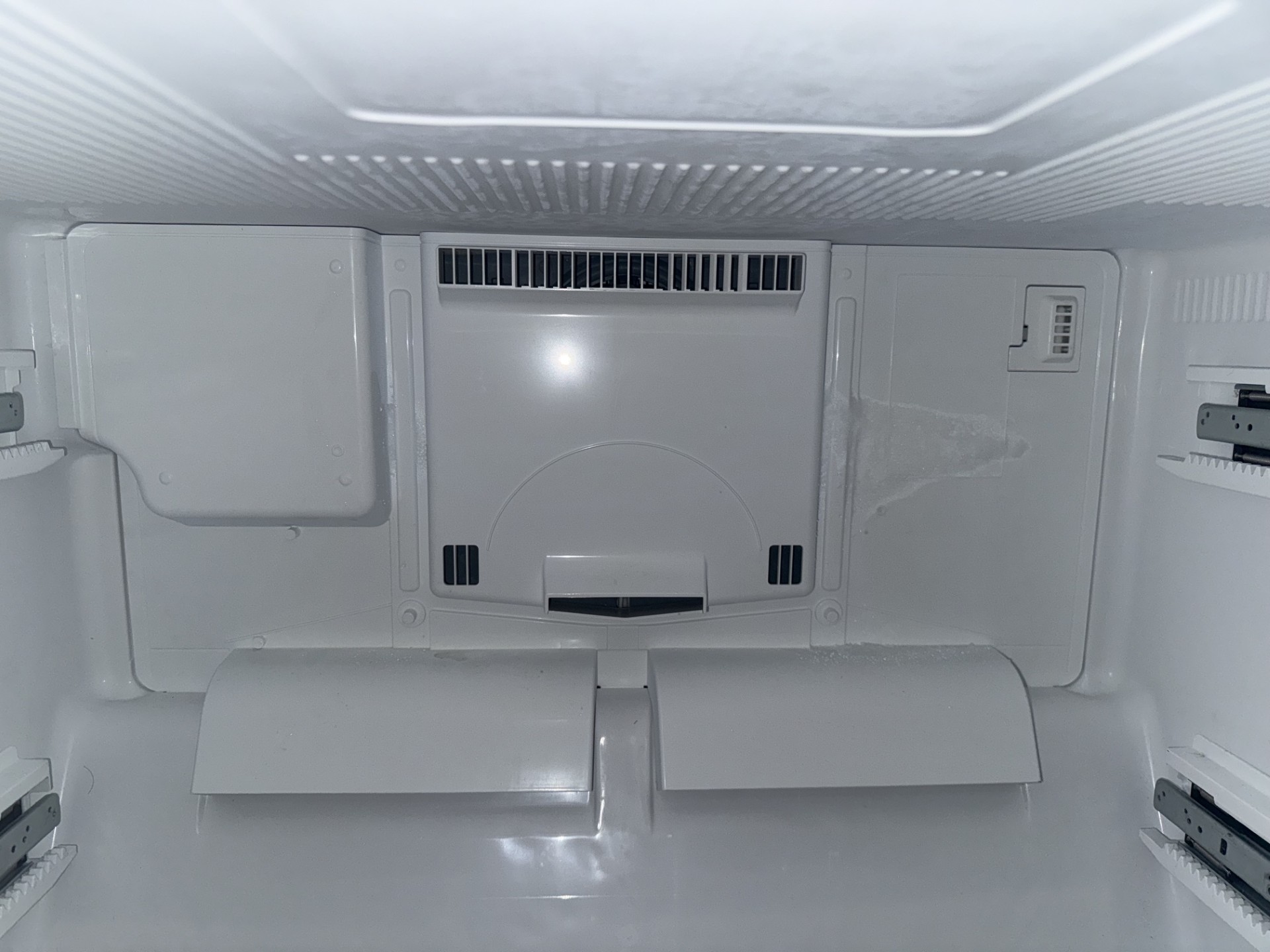
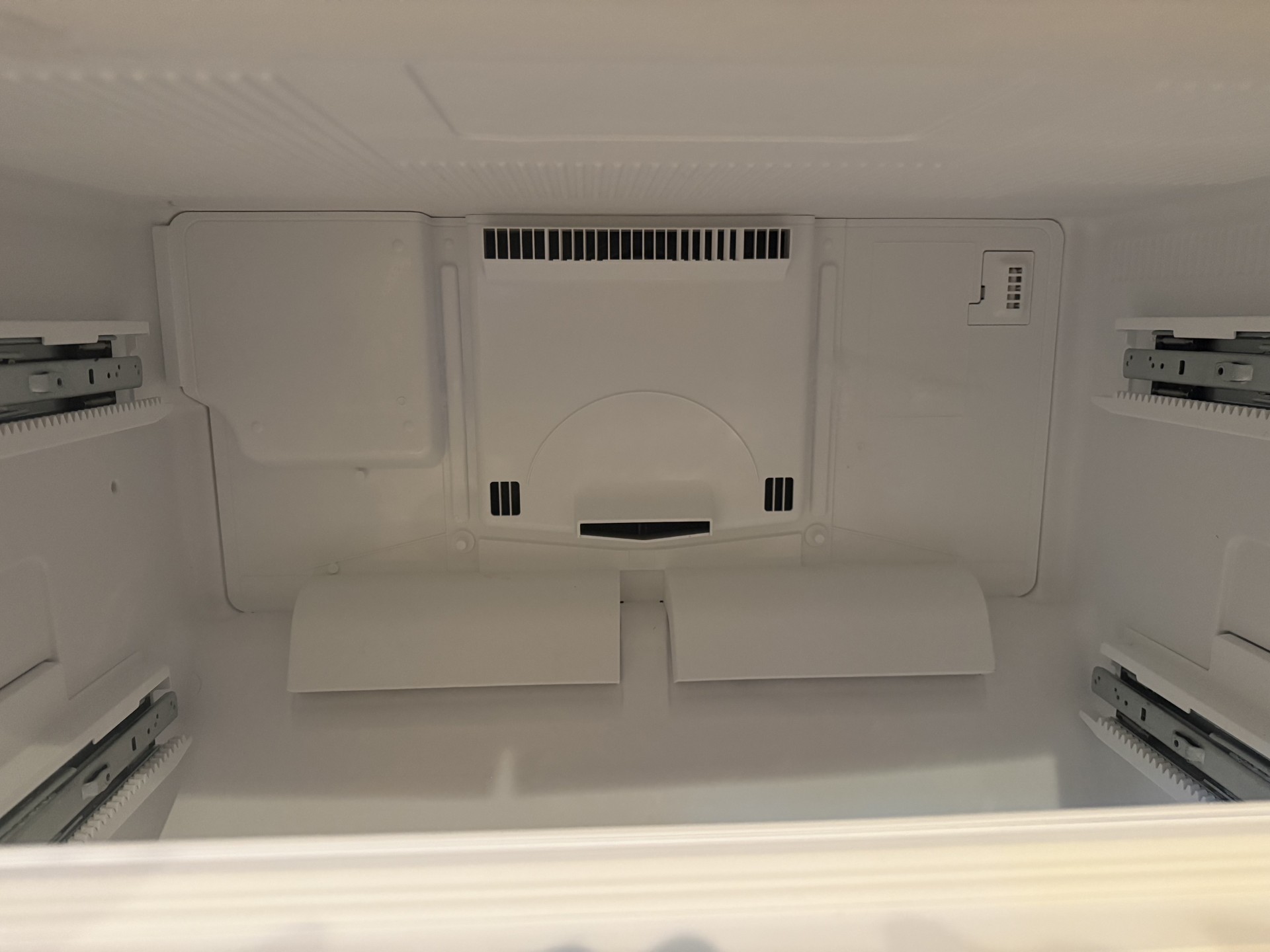
Hi, I tried to remove the lower freezer panel, but don’t see any visible screws to take out. See attached pictures. Mine is a two drawer lower freezer (and I removed them). How do I remove the panel. Found this video https://www.youtube.com/watch?v=qSiH1-by7mU (but conflicting suggestions in comments). So wanted to be sure and not break anything
Also, do I need to remove the side rails to access the rear panel. They don’t seem to be connected.
I see ice/frost on the right side outside the panel (visible in picture). Not sure if that is normal.
 Condenser fan is running.